 Piyush मिश्रः
c0b31a9b31
Piyush मिश्रः
c0b31a9b31
Note: Still in alpha because we are using git as dependency Change Log: 1) Added support for webp 2) Added result ext to show error and warning dialogs 3) Image save extension is stored as enum now 4) Mime of image is also stored with the name of image 5) Different mime type images are being loaded with own loaders |
||
|---|---|---|
| .vscode | ||
| assets | ||
| src | ||
| .gitignore | ||
| Cargo.lock | ||
| Cargo.toml | ||
| LICENSE | ||
| README.md | ||
README.md
Post Maker
Post Maker helps you to make post for instagram and other social media apps easily.
Installing
Windows
There are two ways to get Post Maker for windows.
- You can download a stable version from release
- You can build it yourself from git or released source
Linux
We recommend you to build it yourself.
Building
Build Dependencies
- Rust Compiler
- Cargo
Installing Rust
You can follow rust's official guide to install rust compiler and cargo here.
Compiling
- Clone the post_maker repository
git clone https://github.com/PiyushXCoder/post_maker.git - Open terminal inside the post_maker directory
- Run
cargo build --release - Copy
/post_maker/target/release/post_makerto where ever you keep your binaries
Note: If you are on linux, it is always a good idea to keep your binaries in ~/.local/bin and add ~/.local/bin to your $PATH.
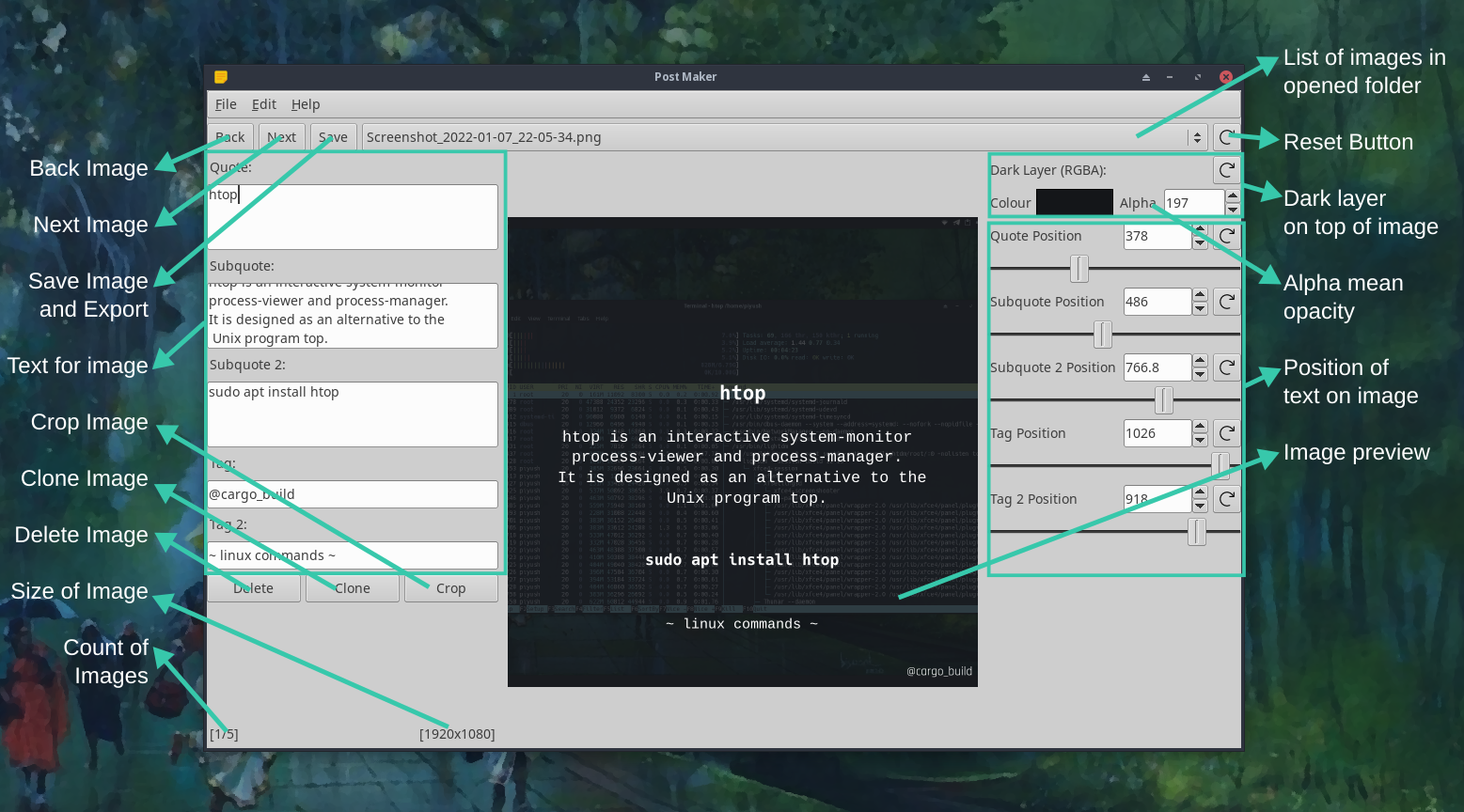
General Overview of Controls
License
This project is under GPLv3